This article explores service desk automation as part of the growing use of artificial intelligence (AI) in IT service management (ITSM).
An employee reports that their VPN keeps dropping, and the IT service desk picks it up within seconds. The system:
- Reads the message
- Identifies the intent
- Categorizes it correctly
- Applies the right priority
- Routes it to the network queue
- Attaches the employee’s device details and recent incident history
- Writes a clean summary for whoever opens it next.
Every one of these steps was automated, and the employee’s VPN still does not work.
This gap is the most common outcome in IT service desk automation today, and it is easy to miss because the process metrics all improve. Time to categorize falls, routing accuracy rises, and service desk analysts spend less time on triage. Meanwhile, the actual issue sits untouched until a person diagnoses and fixes it, which is the part the employee cares about and the only part that ends the incident.
This article explains how to tell the difference and how to judge automation by whether issues get solved, not by how efficiently tickets move through a queue.
What is Service Desk Automation?
Service desk automation is the use of rules, workflows, and artificial intelligence (AI) to perform IT (or other business function) service desk work without human effort. The term covers two distinct things:
- Automating how a ticket is processed, which includes intake, categorization, routing, summarization, and status updates.
- Automating the resolution itself, where the underlying issue is fixed and the fix is verified.
Many implementations do the first but describe it as the second.
What is the Difference Between Ticket Automation and Resolution Automation?
Ticket automation makes the record move faster, while resolution automation makes the record unnecessary.
The practical test is what has changed when the automation finishes. If a ticket has been created, enriched, and routed but the employee is still waiting, the automation handled the ticket. If the employee’s access has been restored, their software installed, or their account unlocked, and the system has confirmed that the fix worked, the automation handled the request. That second definition is the standard we hold our own product to, and it is the standard worth holding any vendor to, including us.
Both are valuable, but they are not interchangeable, and reporting the first as though it were the second is how organizations end up with impressive service desk automation metrics and unchanged resolution times.
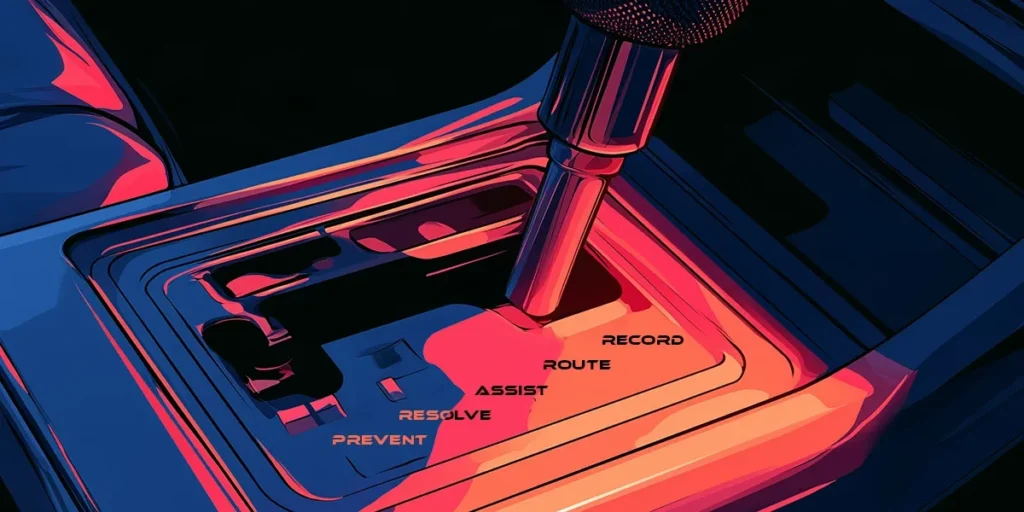
The Service Desk Automation Outcome Ladder
Service desk automation is not one capability but a progression, and each level has a different correct measure of success. Reporting a level 2 capability against a level 4 measure is the most common way automation programs mislead the people funding them.
| Level | What the system does | Example | Correct success measure |
| 1. Record | Captures the request accurately without a person transcribing it | Employee describes an Issue in chat or email, and a structured ticket is created with the right fields populated | Percentage of tickets created without human editing |
| 2. Route | Interprets the request and directs it to the right place, with context attached | VPN complaint categorized as network connectivity, prioritized, routed with device and history attached | Routing accuracy, reduction in reassignments |
| 3. Assist | Gives the service desk analyst what they need to resolve faster | Similar past incidents, the relevant knowledge article, a drafted response, the likely cause | Time to resolve, analyst effort per ticket |
| 4. Resolve | Completes the request end to end and confirms the outcome | Access granted, account unlocked, software installed, and the system verifies the employee can now do the thing they asked to do | Verified autonomous resolution rate |
| 5. Prevent | Detects the condition before anybody reports it and removes the cause | Certificate expiry, disk capacity, or a failing configuration corrected before tickets arrive | Incidents avoided, measured against historical baseline |
Two things are worth noticing about the ladder.
First, levels 1 to 3 make the IT service desk more efficient, while levels 4 and 5 make the service desk smaller. These are different business cases and should be argued differently.
Second, many products sold as automation operate at levels 1 to 3 and are measured as though they operate at level 4. Ask any vendor which level their examples sit at and ask what the system verified rather than what it did.
Why Ticket Volume is a Misleading Measure
Ticket volume is the number most IT service desks report and the number least worth reporting on its own.
Volume falls for good reasons and bad ones. Volume falls when issues genuinely stop happening, which is what you want. It also falls when employees give up and ask a colleague, when requests get merged, when a category is retired, or when people stop reporting things they have decided nobody will fix. Only one of these is success, and the metric cannot tell them apart.
A more useful signal is where the demand goes rather than whether it disappears. A restaurant group we work with had a specific version of this issue. Restaurant managers hitting IT issues in the evening had nowhere to go except an after-hours support line, because the people who could help were not working. After deploying conversational service desk automation that resolved common issues directly, dependence on after-hours IT support fell from 90 percent to 10 percent, and daytime call dependence was halved. The deployment and the numbers are written up in full here.
The number that matters isn’t the volume reduction, but that the reduction came from requests being resolved at the point of need rather than from managers deciding not to ask.
Your Data Decides How Far Up the Ladder You Can Go
Before scoring individual requests for service desk automation suitability, most automation programs miss a precondition.
Automation inherits the quality of the data underneath it. Vague or overlapping incident categories mean the system cannot reliably tell what a request is. Inconsistent logging means historical tickets teach it the wrong patterns. A stale configuration management database (CMDB) means it cannot establish what a device or service actually is, or what depends on it. Contradictory knowledge articles mean it has no dependable basis for an answer. Getting knowledge into a state that automation can actually use is its own workstream, and on most programs it is the longest one.
Levels 1 to 3 tolerate messy data reasonably well, because a person is still in the loop to catch what the system got wrong. Levels 4 and 5 do not, for two reasons. The system has nothing reliable to reason from, and it has no way to confirm that a fix actually held.
The ladder cannot be climbed faster than the data allows. An organization that starts at level 4 with poor underlying data does not get level 4 outcomes; it gets confident automation of the wrong thing, and a pilot that fails for reasons everybody misattributes to the technology.
How to Assess Whether a Request is Safe to Automate
Once the data is fit for the purpose, individual request types can be assessed. Score each candidate from 1 to 5 across seven criteria:
- Volume. How often does the request occur? Low volume rarely justifies the design effort.
- Repeatability. Does the request follow the same path each time, or does every instance differ?
- Knowledge quality. Is there a current, unambiguous, correct answer the system can rely on?
- Identity certainty. Can the system establish who is asking with sufficient confidence for what is being asked?
- Reversibility. If the automation gets it wrong, how easily is the action undone?
- Integration readiness. Can the system reach the systems it needs, both to act and to check the result? Integration readiness is the criterion most often treated as a procurement checkbox, and it matters more than that. Verification depends on telemetry from the systems being acted upon. Without a way to read state back after acting, the system can report that it performed an action but cannot report that the action worked, which caps you at level 3 regardless of what the automation is capable of.
- Outcome verifiability. Is there an observable signal that confirms the issue is solved?
Then apply three risk multipliers that override the score rather than adding to it:
- Permission sensitivity. Does the action grant, extend, or alter access?
- Exception frequency. How often does this request type deviate from the standard path?
- Business impact. What is the consequence if the automation acts wrongly at scale rather than once?
High volume never justifies autonomy on its own. A password reset and a production configuration change may both score highly on volume and repeatability, and only one of them belongs at level 4 without a human in the path.
Five High-Value IT Service Desk Automation Use Cases
The verification column is the one that separates level 3 from level 4.
| Request | Required context | Automated action | Guardrail | Verification |
| Password reset | Confirmed identity, account status, policy | Reset credential, issue secure reset path | Verify on a channel the lockout does not affect, such as registered mobile or backup address | Successful authentication with the new credential |
| Software access | Entitlement, license availability, approval policy | Grant license, provision access | Approval required where the license carries cost or the software carries risk | Application launches successfully for that user |
| VPN failure | Device state, client version, certificate status, network path | Reissue certificate, correct client configuration, reset session | No change to firewall or network policy without human approval | Connection established and held for a defined period |
| Account unlock | Identity confidence, lockout cause, recent failure pattern | Unlock account, force credential rotation if indicated | Escalate where the lockout pattern suggests a security event rather than user error | Successful login, with no repeat lockout within the window |
| Device remediation | Device health telemetry, running processes, storage and patch state | Clear cache, restart service, apply pending patch, reclaim storage | No action on production servers or shared infrastructure without approval | Health signal returns to normal and holds |
All five exist as prebuilt workflows and automations in one product or another, ours included, and acquiring the action is the easy half. Every one of these verification steps requires reading state back from the system that was acted upon, which is why integration readiness is a capability question rather than a connectivity question.
When Should IT Service Desk Automation Involve a Human?
There are six situations where a person should be in the path, regardless of how well the request scores:
- Ambiguous identity. If the system cannot establish who is asking with confidence appropriate to the request, it should not act on their behalf.
- Privileged access. Anything that grants, extends, or escalates permissions.
- Irreversible changes. Deletions, terminations, or anything without a straightforward undo.
- Policy exceptions. The request is understood, and the answer is that it falls outside policy. Whether to make an exception is a judgment with consequences.
- High-impact production systems. Where a wrong action affects many people at once, not just one.
- Sensitive employee situations. Requests that touch employment matters, health, or anything an employee would not want a colleague to read.
The list points to a related idea worth being direct about, because it is doing damage: zero touch is the wrong target for service desk automation.
Zero Touch is the Wrong Target
It is an appealing phrase, and it describes an outcome nobody should actually want. The goal is not the absence of human involvement; it is that human involvement happens where judgment is genuinely required and nowhere else. An organization optimizing for zero touch will eventually automate something that needed a person and discover it at the worst possible moment. An organization optimizing for verified resolution with a governed human path gets the same efficiency without that exposure.
Where humans stay in the path, the system should be able to explain what it recommended and why. NIST’s AI Risk Management Framework, published in 2023 and organized around four functions – Govern, Map, Measure, and Manage – treats accountability, transparency, explainability, and interpretability as characteristics of trustworthy AI.
NIST specifically notes that interpretability can involve communicating why an AI system made a particular prediction or recommendation. In an IT service desk context, this supports giving the person approving an AI-recommended action enough explanation to understand why it was proposed, rather than presenting the recommendation alone.
How Should IT Service Desk Automation Be Measured?
Measure verified autonomous resolution: the percentage of eligible requests resolved end to end, without human intervention, where the outcome was confirmed.
Verified autonomous resolution rate = (requests resolved and verified without human intervention / eligible requests) × 100
The word “verified” carries the weight, and it needs defending, because verification is easy to fake. A ticket auto-closed after no response is not verified. A request marked resolved because the workflow reached its final state is not verified. A satisfaction survey nobody answered is not verified.
Verification means an observable signal from the system that was acted upon, confirming the employee can now do the thing they could not do before.
The distinction between closed and verified is where most reported service desk automation numbers quietly inflate.
| Metric | What it reveals | Common weakness |
| Containment | Requests handled without reaching an analyst | Includes people who gave up |
| Ticket deflection | Requests prevented from becoming tickets | Says nothing about whether the issue was solved |
| Autonomous resolution | Requests completed without human intervention | Counts completion of the workflow, not of the issue |
| Verified resolution | Completed and confirmed against system state | Requires telemetry most organizations have not connected |
| Recontact rate | Same employee, same issue, within a window | Lagging, and easily hidden by category drift |
| Human minutes per request | Actual labor consumed | Hard to attribute across a multi-touch resolution |
| Cost per verified resolution | Economic reality of the automation | Only meaningful once verification is trustworthy |
Recontact rate deserves particular attention, because it is the cheapest available check on whether verification is honest. If verified resolution is rising and recontact is rising with it, the verification is not measuring what it claims.
What Mature IT Service Desk Automation Looks Like
A mature IT service desk automation program is not the one with the highest automation percentage. The mature one can say, with evidence, which requests it resolves without a person, which it deliberately does not, and how it knows the difference.
Getting there changes what service desk analysts do, and the change is worth naming because it is what practitioners actually want to know. As automation moves up the ladder, the serviec desk analyst’s work shifts from handling tickets to supervising automation: designing the workflows and automations, defining what may be automated and what may not, reviewing exceptions, and improving the knowledge and data the system depends on.
The volume of routine work falls, and the remaining work is harder, more consequential, and more interesting. Service desk analysts generally find this a better job, though it requires different skills, and organizations that do not plan for the transition tend to lose the people best placed to make it.
The goal is not moving tickets through the queue faster. The goal is removing avoidable work while proving the employee’s issue was actually solved.
If you take one thing into your next vendor conversation, make it this question: Show me the signal that confirmed the fix worked. A vendor that can answer it is selling resolution. A vendor that changes the subject to ticket volume is selling something else.
See Rezolve.ai in action and discover what true end-to-end service desk automation looks like.
Service Desk Automation FAQs
Ticket automation makes the record move faster: intake, categorization, routing, summarization, and status updates. Resolution automation makes the record unnecessary by fixing the underlying issue and confirming the fix worked. Many implementations do the first but describe it as the second.
Record (captures the request accurately), Route (interprets and directs it with context attached), Assist (gives the service desk analyst what they need to resolve faster), Resolve (completes the request end to end and confirms the outcome), and Prevent (detects and removes the condition before anyone reports it). Levels 1 to 3 make the IT service desk more efficient; levels 4 and 5 make it smaller.
Volume falls for good reasons and bad ones. It falls when issues genuinely stop happening, but also when employees give up and ask a colleague, when requests get merged, or when people stop reporting things they’ve decided nobody will fix. The metric can’t tell these apart.
The underlying data has to be fit for purpose first, since automation inherits the quality of the data beneath it. After that, each candidate request is scored on volume, repeatability, knowledge quality, identity certainty, reversibility, integration readiness, and outcome verifiability, then checked against three risk multipliers: permission sensitivity, exception frequency, and business impact.
Six situations: ambiguous identity, privileged access changes, irreversible changes, requests outside policy, high-impact production systems, and sensitive employee situations involving employment or health matters.
By verified autonomous resolution rate, the percentage of eligible requests resolved end-to-end without human intervention where the outcome was confirmed by an observable signal, not by containment, ticket deflection, or workflow completion alone. Recontact rate is the cheapest check for whether that verification is honest.

Manish Sharma
Manish Sharma is the Chief Revenue & Marketing Officer at Rezolve.ai. Over the past two decades, he has guided Fortune 500 companies through cloud, automation, and AI transformations that reimagined service delivery and unlocked billions in operational value. His current focus is scaling agentic ITSM frameworks that turn support teams from cost centers into innovation engines.
You can read his expert insights here: https://www.rezolve.ai/blogs
You can reach him here: https://www.linkedin.com/in/manish-sharma-rezolve