I’ve spent 13 years in B2B SaaS roles, about 5 of those in the IT service desk and IT help desk industries. The number of creative things you can do with an IT service management (ITSM) tool or platform never ceases to amaze me.
IT. Creative. Do these two really go together? Absolutely!
Here in my role at Desk365, I speak with customers regularly, understand how they use our platform, and turn those insights into case studies that folks looking for an IT help desk can learn from.
Based on some of these conversations and what I’ve seen our IT team do here, here are 5 creative ways to use your ITSM tool.
1. Turn Physical IT Assets into Self-Service Support Channels with QR Codes
I’m guilty of this myself; I’d much rather walk up to the IT team or ping them on chat. I’ve got the IT help desk email jotted down somewhere, but I always forget a few essential details when I email them.
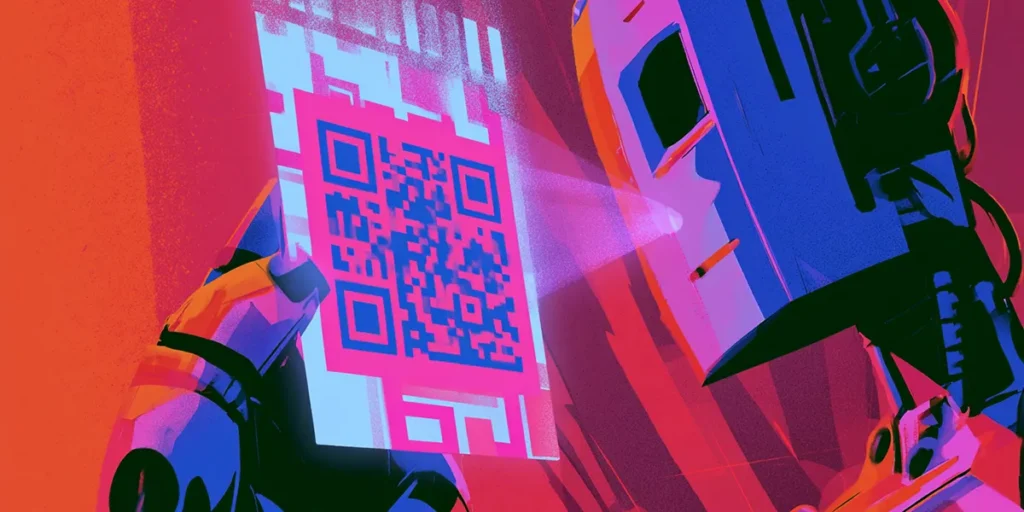
A nifty idea I came across recently was to create an IT support form and convert it into a QR code. This code can be affixed to the back of my laptop, printers, and other physical assets. I’ve also seen the QR code feature in the IT team’s profile images on chat, on our support portal and so on. Hence, it’s accessible wherever a team member is looking. We’ve seen the number of back-and-forths within a ticket reduce now that the forms include complete information. And as an end-user, most people are happy to pull out their phone to scan a QR code rather than send a long email.
2. Automate Cross-Department Workflows Beyond IT
In a physical office space, help requests might move from one team to another. A printer leak becomes an issue for the facilities team, the asset acquisition team, and the IT help desk. New employee onboarding spans HR, finance, facilities, and their own associated team. When the issue is moved from one team to another, automations should trigger the process. We recently implemented Tasks to do and a checklist that must be completed before a task moves from one department to another.
For example, when a customer changes their payment method, finance needs to confirm the previous card has been removed before the product team can re-provision a certain account. As a distributed team, it helps us auto-assign tickets even when a colleague is in a different location.
3. Convert AI Meeting Notes into IT Help Desk Tickets Automatically
If you’re using a notetaker app, use an integration or an API connector to create tickets based on notes. Most of these tools generate structured meeting summaries with sections like Action Items, Decisions, and Next Steps. Using an automation platform such as Power Automate or Zapier, monitor meeting summaries and extract action items to create tickets either via an API or via the support email.
For instance, if in a meeting you’ve agreed to implement new software and sunset an older tool, notes from your app can be forwarded to the IT help desk, converted into tickets and assigned to the respective agents based on automation rules. By the time the meeting ends, the follow-up has already entered the IT team’s standard workflow, ensuring nothing gets lost between discussion and execution.
4. Make Your IT Help Desk Platform the Single Source of Truth
If your employee directory, collaboration tool, IT help desk, and IT asset management (ITAM) tool all sit separately, you’re doing it wrong. Your IT help desk needs to integrate with the tools your team uses daily so that when a ticket comes in, the issue is already linked to the employee, their asset, their security status, and their full service history. This way, the IT help desk agent gets the full picture at a glance; they don’t have to switch tools to find all the right information. If you’re in the Microsoft environment, ensure your tool connects to Entra ID, SSO, Power Automate, and, most importantly, Teams. We’ve seen that when agents use Microsoft Teams as their ticketing system, the resolution process is streamlined and efficient.
5. Build Specialist AI Agents Using Targeted Knowledge Bases
Key Takeaways
In my opinion, IT is one of the most underrated and under-credited creative departments in a company. From bringing in visitors at the front desk, to smoothly deploying changes, to fixing infrastructure before it flares up, IT teams and IT help desks are influencing how business flows.
The best ITSM implementations don’t stop at IT. If your ITSM platform is only being used to resolve incidents, you’re just scratching the surface.
IT Help Desk Innovation FAQs
The article lists five: QR codes that turn physical assets into self-service support channels, automated cross-department workflows, converting AI meeting notes into tickets automatically, making the IT help desk platform a single source of truth, and building narrow, topic-specific AI agents.
Placing a QR code linked to a support form on physical assets like laptops and printers means end-users scan the code instead of writing an email, cutting out the missing details that usually spark a round of clarifying replies.
Using an automation platform like Power Automate or Zapier, notetaker app summaries with an Action Items section can be monitored and converted into tickets via API or email, so a decision made in a meeting is already in the IT team’s workflow by the time the meeting ends.
It means the IT help desk integrates with the employee directory, collaboration tools, and IT asset management systems, so when a ticket comes in, it’s already linked to the employee, their asset, their security status, and their service history. The IT help desk agent gets the full picture without switching tools.
Not according to the article. AI is taking on a share of Level 1 ticket “deflection,” but the approach it recommends is training multiple narrow AI agents restricted to specific topics, like onboarding or software licensing, so each one operates in a lane it knows well and hands off to a human when needed.
Stopping at incident resolution. The article argues IT is one of the most underrated and under-credited creative departments in a company, and that IT help desk platforms used only to close tickets are leaving most of what they’re capable of unused.

Ranjani Raghupathi
Ranjani eats software for breakfast and has been for over a decade. With a focus on IT and helpdesks, she leads marketing efforts at Desk365. When she's not at work, she pursues buying artisanal cheese and enjoys backpacking.